

Task Management in Obsidian - A Complete Guide
Could Obsidian be the ultimate task management tool you've overlooked? Explore how its flexibility and integration with notes can streamline your workflow effortlessly.

I'll write the comprehensive guide now.
Most task managers force you to context-switch: your to-dos live in one app, your notes in another, and your project plans in a third. Obsidian flips that model. Because your tasks live as plain Markdown checkboxes inside the same notes where you think, research, and plan, the work and the context never drift apart. A task on your project page links directly to the meeting notes that spawned it, the resource that informs it, and the daily note where you reviewed it.
This guide walks you through building a real task-management system in Obsidian from scratch: the two plugins you need, the task syntax that powers due dates and recurrence, the queries that turn scattered checkboxes into live dashboards, and how to fold it all into proven frameworks like GTD and PARA. Whether you are tracking a handful of weekly chores or coordinating a dozen overlapping projects, the same building blocks scale up cleanly.
By the end you will know how to capture tasks fast, surface exactly the ones that matter today, and avoid the pitfalls that make most Obsidian task setups collapse after a month. And if you would rather skip the wiring entirely, we will show you a ready-made setup that ships all of this preconfigured.

Why use Obsidian for task management?
Obsidian is worth using for tasks because your to-dos live next to the notes, projects, and ideas they belong to, so you never lose the context behind a task. Unlike a standalone to-do app, every checkbox can sit inside a project note, a meeting record, or a daily journal entry, fully linked to the surrounding information.
The practical advantages stack up quickly:
- Everything in one place. Notes, references, project plans, and tasks share a single vault. No copy-pasting between apps, no broken links between your "thinking" tool and your "doing" tool.
- Local and private. Your tasks are plain Markdown files on your own disk. No company can read them, lock you out, or shut the service down.
- Free at the core. Obsidian and the plugins that power task management cost nothing. You only pay if you opt into official sync.
- Future-proof. Markdown checkboxes (
- [ ]) are readable in any text editor, decades from now, with or without Obsidian. - Infinitely customizable. You decide what a "task" means, how it is tagged, and how dashboards filter it.
If you are still deciding how Obsidian fits into your wider workflow, our overview of what to use Obsidian for in 2026 maps out where task management sits alongside notes, research, and planning.
Which plugins do you need for task management?
You need two community plugins for a serious setup: Tasks for rich task metadata and queries, and Dataview for building broader dashboards. Both are free, widely used, and actively maintained.
- Tasks is the core. It adds due dates, scheduled dates, start dates, priorities, recurrence, and a powerful query language for filtering checkboxes across your entire vault. It also gives you a date-picker and a checkbox-completion behavior that handles recurring tasks automatically.
- Dataview is the dashboard layer. While Tasks queries focus on checkboxes, Dataview can pull together tasks, note metadata, and properties into tables, lists, and calendars. Many users run both: Tasks for task logic, Dataview for cross-note reporting.
To install them, open Settings → Community plugins → Browse, search for each by name, install, and enable. Restart is not required.
Tip: Install the Calendar plugin too. It pairs beautifully with daily notes and gives you a clickable month view to jump between days when reviewing scheduled tasks.
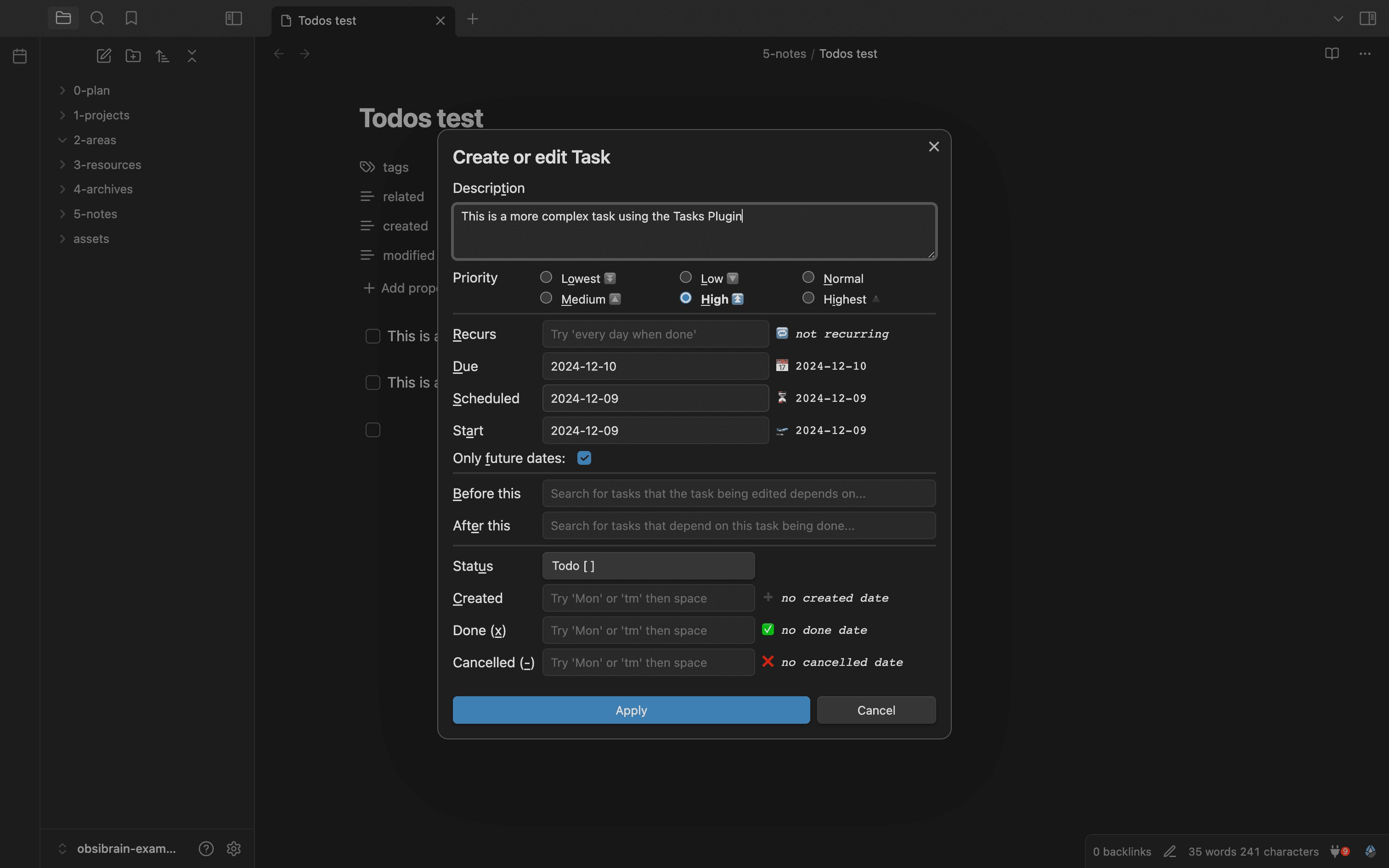
For a deep dive into everything the Tasks plugin can do, see our complete guide to the Obsidian Tasks plugin — it covers advanced filters and recurrence rules in detail.
What is the core task syntax in Obsidian?
The foundation is a standard Markdown checkbox, and the Tasks plugin layers metadata onto it using emoji signifiers. A task starts life as a simple line:
- [ ]is an open task.- [x]is a completed task.
From there, you attach metadata to control scheduling and sorting. The most common signifiers are:
- Due date
📅 2026-12-31— the hard deadline. - Scheduled date
⏳ 2026-12-20— when you intend to work on it. - Start date
🛫 2026-12-15— the earliest the task becomes relevant. - Priority
🔺(highest),⏫(high),🔼(medium),🔽(low). - Recurrence
🔁 every week— regenerates the task on completion.
A fully decorated task looks like this:
- [ ] Submit quarterly report 📅 2026-12-31 ⏫ 🔁 every 3 months
You rarely type the emoji by hand. Instead, run the Tasks: Create or edit task command (bind it to a hotkey), and a clean modal lets you set dates, priority, and recurrence with a form. The plugin writes the correct syntax for you.
Note: Dates always use ISO format (
YYYY-MM-DD). This keeps sorting reliable and avoids the day/month ambiguity that plagues other formats.
How do you build task dashboards and queries?
You build a dashboard by writing a fenced query block that the Tasks plugin renders as a live, always-current list. Instead of manually maintaining a "today" list, you describe the tasks you want and let the query find them across every note in your vault.
A query is a fenced code block tagged tasks, with one filter per line. For example, to show every incomplete, high-priority task due before the end of the year:
not done
due before 2026-12-31
priority is high
That single block stays accurate forever: complete a task anywhere in your vault and it vanishes from the list; add a new matching task and it appears. Common filters you will reach for include:
not done/done— filter by completion status.due today,due before tomorrow,due after 2026-01-01— date windows.path includes Projects— scope to a folder.tags include #work— scope by tag.sort by priority,sort by due— control ordering.group by filename— cluster results by the note they live in.
For broader reporting that mixes tasks with note properties, Dataview takes over. A Dataview block can list every project note with its status, count open tasks per area, or render an overdue table. The combination — Tasks for logic, Dataview for context — is what turns a pile of checkboxes into a command center.

A great home for these dashboards is your daily note. If you are not already using one, our guide to mastering Obsidian daily notes shows how a daily dashboard becomes the heartbeat of your system.
How do you combine tasks with GTD and the PARA method?
You combine them by using PARA to organize where tasks live and GTD to define how they flow. The two frameworks complement each other: PARA answers "where does this belong?" and GTD answers "what do I do next?"
PARA sorts everything in your vault into four buckets:
- Projects — outcomes with a deadline (launch the website, plan the trip).
- Areas — ongoing responsibilities with no end date (health, finances, team).
- Resources — reference material you may need later.
- Archives — anything inactive.
Tasks naturally cluster inside Projects and Areas. A query scoped with path includes Projects instantly shows every actionable next step across all active projects.
GTD gives those tasks a workflow:
- Capture everything into an inbox the moment it occurs to you.
- Clarify each item — is it actionable? What is the next physical step?
- Organize by moving it to the right project or area and tagging context.
- Reflect during a weekly review using a query of all open tasks.
- Engage by working from a "today" dashboard.
The Eisenhower matrix layers neatly on top: combine a due filter with priority to separate urgent-and-important from everything else. For a full treatment of running multi-step work this way, see our guide to Obsidian project management.
If hand-building these PARA folders and GTD queries sounds like a lot, Obsibrain ships the entire structure — PARA folders, GTD task flow, and Eisenhower prioritization — preconfigured, so you start engaging with your work instead of wiring it up.
How do you capture tasks quickly, including on mobile?
You capture quickly by binding a hotkey to a quick-capture command and dumping tasks into a single inbox note without breaking focus. Speed of capture is the single biggest predictor of whether a task system survives, because friction at the point of capture means tasks never make it in.
On desktop:
- Bind Tasks: Create or edit task to a hotkey for structured entry.
- Keep an
Inbox.mdnote pinned, and capture raw lines there to process later. - Use the QuickAdd community plugin if you want one-key capture into a chosen file.
On mobile:
- The Obsidian mobile app runs the same plugins, so Tasks queries and dashboards work identically.
- Add the mobile toolbar button for your capture command so it is one tap away.
- For truly instant capture, configure a share-sheet or widget shortcut that appends to your inbox note.
Tip: Capture without organizing. The goal at capture time is to get the task out of your head and into the vault. Sorting it into the right project happens later, during your review — never let "where does this go?" slow down the capture.
The principle of frictionless capture applies to notes too; our piece on building a powerful second brain with Obsidian note-taking goes deeper on keeping the whole system low-friction.
What are the common pitfalls and how do you avoid them?
The most common pitfalls are over-engineering, inconsistent syntax, and dashboards that nag instead of help. Each is avoidable once you know to watch for it.
- Over-engineering the system. Resist building twelve nested dashboards before you have used the basics for a week. Start with one inbox, one "today" query, and one weekly review. Add complexity only when a real need appears.
- Inconsistent date or tag syntax. If half your tasks use
#workand the other half use#Work, queries miss them. Pick conventions early and always create tasks through the Tasks modal so the syntax stays uniform. - Overdue-task pileup. A dashboard showing 200 overdue tasks teaches you to ignore it. During your weekly review, ruthlessly reschedule or delete stale tasks so "today" stays trustworthy.
- No regular review. A task system with no review is just a graveyard. Block 20 minutes weekly to process the inbox and reschedule.
- Mixing scheduled and due dates carelessly. Use due for real deadlines and scheduled for when you plan to act. Conflating them makes your urgency signals meaningless.
Note: Linking tasks back to their source note is a habit worth building early. When a task references the meeting or project that created it, your weekly review becomes far faster. Our guide to Obsidian linking explains how to wire these connections cleanly.
How does Obsibrain give you a complete task setup out of the box?
Obsibrain ships a fully built task-management system so you skip weeks of configuration and start working immediately. Instead of installing plugins, writing queries, and designing dashboards yourself, you get a vault where every piece is already wired together and tested.
Out of the box, Obsibrain includes:
- Preconfigured PARA folders — Projects, Areas, Resources, and Archives ready to fill.
- GTD plus Eisenhower task management — capture, clarify, and prioritize using a workflow that is already set up.
- Periodic planning — daily, weekly, monthly, and yearly notes that automatically surface the right tasks for each horizon.
- Habit tracking and quick capture — built-in tools to log routines and dump tasks fast.
- SMART projects and a meetings/CRM module — structure for outcomes and the people involved.
The dashboards, queries, and recurring-task logic described throughout this guide all come assembled, so your "today" view, weekly review, and project overviews work from day one.
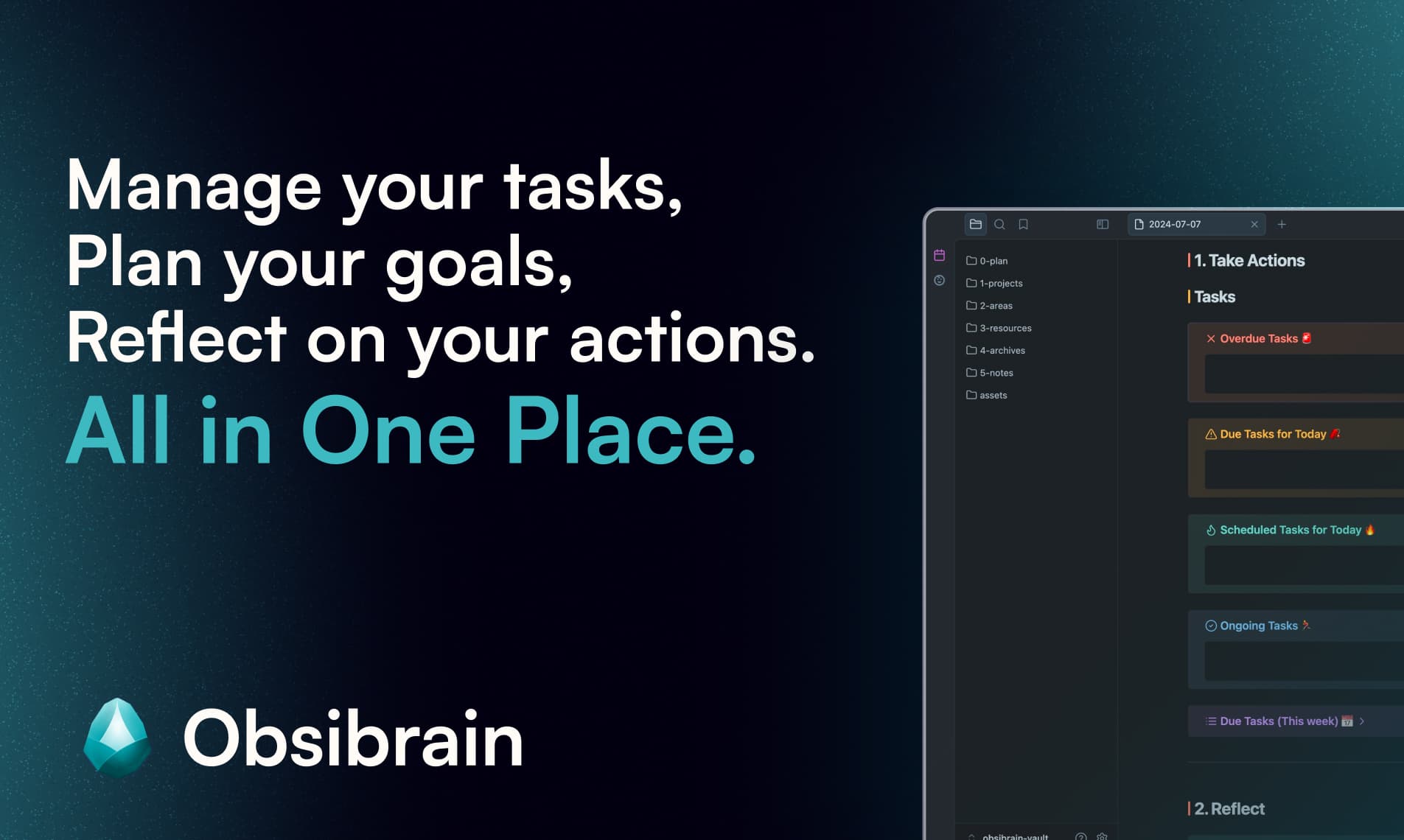
If you want every technique in this guide working without the setup time, Obsibrain is the recommended ready-made solution — a complete second-brain and task-management template built on the exact principles covered here.
Frequently Asked Questions
Do I need to pay for the Tasks and Dataview plugins? No. Both Tasks and Dataview are free community plugins. Obsidian itself is also free for personal use; you only pay if you choose official Sync or Publish add-ons. A complete task setup costs nothing.
Can I use Obsidian task management on my phone? Yes. The Obsidian mobile app runs the same community plugins as desktop, so your Tasks queries, Dataview dashboards, and recurring tasks all work identically. Add your capture command to the mobile toolbar for one-tap entry, and sync your vault so tasks stay current everywhere.
What is the difference between a due date and a scheduled date? A due date (📅) is a hard deadline — the task must be done by then. A scheduled date (⏳) is when you plan to work on it, which can be earlier. Using both lets you see what is genuinely urgent versus what you have simply earmarked for a given day.
How do recurring tasks work?
Add a recurrence rule like 🔁 every week to a task. When you tick it complete, the Tasks plugin automatically creates the next instance with the dates rolled forward. You never recreate routine tasks by hand, and your history of completed instances stays intact.
Conclusion
Task management in Obsidian works because it refuses to separate your tasks from your thinking. With just two plugins — Tasks and Dataview — a handful of syntax signifiers, and a few live query blocks, you can build a system that captures fast, surfaces exactly what matters today, and scales from personal chores to complex multi-project work. Layer PARA and GTD on top, review weekly, and avoid the over-engineering trap, and you will have a setup that actually lasts.
Start small: install the plugins, create one inbox, write one "today" query, and build from there. Or, if you would rather have the entire system handed to you preconfigured and battle-tested, let Obsibrain do the wiring so you can focus on the work itself.
Obsibrain
Get the complete Obsidian second-brain system
Skip the 20-hour setup spiral. Templates, dashboards, and workflows ready in about 30 minutes — no coding required.
$49 one-time payment. Backed by our 30-day guarantee.