

Your Ultimate Obsidian Daily Log Template
A daily log template in Obsidian is more than just a pre-formatted structure for your notes—it's implemented as a markdown file, which serves as the foundation for organizing your daily entries. Think of it as a dynamic system that actually adapts to your workflow.


A daily log template in Obsidian is more than just a pre-formatted structure for your notes—it's implemented as a markdown file, which serves as the foundation for organizing your daily entries. Think of it as a dynamic system that actually adapts to your workflow, not just another static checklist you feel obligated to fill out. It becomes the single source of truth for your day.
Why a Daily Log Is Your Productivity Cornerstone
Let’s be honest: most productivity hacks are flashy but don’t stick around for long. The real secret isn’t some complicated new app; it’s a reliable system you can trust day in and day out. This is where a daily log template in Obsidian completely changes the game.
It’s not just a digital diary. It’s your command center for tasks, fleeting ideas, and important reflections, turning those big, abstract goals into concrete actions you can take today.

So many of us have tried journaling only to fall off the wagon because it feels too unstructured. A template gives you the framework you need to build a lasting habit. By carving out specific sections for priorities, tasks, and notes, you instantly eliminate the friction of staring at a blank page. The structure and sections you choose for your daily log template can always be adjusted based on personal preference.
The Power of a Structured System
A well-designed daily log brings immediate clarity to your day. It gently forces you to be intentional about where your most valuable resources—your time and energy—are going.
Instead of just reacting to the constant flood of emails and notifications, you start your day with a clear, proactive plan. This simple shift is the foundation for getting into a state of deep, focused work.
This structured approach pays off in several key ways:
-
Mental Clarity: Getting your to-do list and random thoughts out of your head and onto the page frees up precious mental bandwidth for actual problem-solving.
-
A Reliable Work Record: It automatically creates a searchable history of your accomplishments, decisions, and challenges. No more wondering what you worked on last Tuesday.
-
Spotting Important Trends: Over time, you'll start to see patterns in your energy levels, identify your most productive hours, and notice the common roadblocks that trip you up.
A daily log is less about meticulously recording the past and more about intentionally designing your future. It's the small, daily act of planning and reflection that compounds into massive long-term progress.
Connecting Your Daily Actions to Bigger Goals
The real magic happens when your daily log connects to your larger knowledge system. In Obsidian, each daily note isn’t just an isolated entry; it’s a node in your growing network of ideas.
When you link a task to a specific project note or a meeting entry to a client file, you can use a file link to directly connect your daily note to related project or client files. This helps you build a rich web of context that becomes more valuable every single day.
This is where a tool like Obsibrain really shines. It can analyze these connections, helping you see exactly how your daily tasks are contributing to those big quarterly objectives. For example, by linking daily tasks to a [[Quarterly Goal]] note, Obsibrain’s AI can create a visual map that tracks your progress and ensures your day-to-day actions align with your long-term vision.
Of course, a daily log is just one piece of the puzzle. To complement your system, you might also find value in exploring the best habit tracking apps to support your self-improvement goals.
Building Your First Daily Log Template
Getting started with a daily log template in Obsidian is much simpler than you might think. Honestly, you don’t need to touch any complex code or have some kind of advanced technical knowledge.
The whole point is to build a simple, foundational structure. One that automatically spins up a fresh note for you every single day, ready to go. We’ll make this happen using two of Obsidian’s most powerful core plugins: Daily Notes and Templates.

Think of it this way: the Daily Notes plugin is your automation engine. It’s the part that creates a new note with today’s date as the title. This plugin helps you create daily notes automatically, ensuring new file creation for each day. Each time you start a new day, new file creation is triggered, and the file creation process can be automated for consistency. Then, the Templates plugin lets you define the blueprint that this new daily note will follow. It’s a perfect partnership for creating consistency.
Activating the Core Plugins
Before we can build anything, we need to get our tools ready. Pop open Obsidian’s settings and head to Settings > Core Plugins. You’ll want to find “Daily notes” and “Templates” and make sure both are toggled on.
With those enabled, we just need to configure them. It only takes a second.
-
For Templates: You’ll see a setting to designate a folder for your templates. I recommend creating a new folder in your vault called “Templates” to keep things tidy.
-
For Daily Notes: There’s an option called “Template file location.” You need to point this to the specific daily log template file we’re about to create. You can also set the date format for your daily notes here—using a format like YYYY-MM-DD or MMMM DD helps organize your notes chronologically. Using the format YYYY-MM-DD for file names is especially helpful for sorting and automation.
This simple setup tells Obsidian, “Hey, every time I click the ‘Open today’s daily note’ button, I want you to create a new file using this specific template.” Easy.
The power of a template isn’t just about saving time; it’s about reducing cognitive load. By removing the small decision of ‘what should I write today?’, you preserve mental energy for the important work that actually moves your projects forward.
A Practical Starter Template
Here is a basic, effective daily log template you can copy and paste into a new note inside your “Templates” folder. This one covers the essentials without being overwhelming.
This structure provides a clear hierarchy for your day. Priorities are right at the top, followed by a task list for execution, and finally, a freeform space for any thoughts that pop up. Including a dedicated notes section in your daily log template allows you to quickly jot down ideas, meeting notes, or reflections, making it easier to capture and organize quick thoughts throughout the day. The thinking behind this is pretty similar to what you see in business operations, where daily task reports are used to monitor productivity and can cut down follow-up time by an estimated 15-30%.
As you get into creating your own daily log, it can be really helpful to understand what else is out there. For a wider perspective, check out this guide to the best note-taking apps to see how different platforms handle daily organization.
This starter template is just that—a start. The real value comes when you begin customizing it for your own unique workflow.
Maybe you need a section for tracking meetings. Or a gratitude log. Or maybe just a quick habit checklist. Adding these is as simple as typing a new heading into your template file.
A lot of people find it useful to track habits right inside their daily notes. Obsibrain actually has robust features for this, letting you see streaks and progress over time. For example, you can track a daily [[Habit: Meditate]] and [[Habit: Exercise]], and Obsibrain will automatically visualize your consistency, motivating you to keep the chain going.
The key is to start simple. Use the template for a week, see what works, and then make small adjustments based on what you actually need.
Alright, you’ve got the basic structure of your daily note. Now, let’s kick it up a notch. We’re going to transform that simple note into a powerful, interactive dashboard. This is where the real magic of a daily log template in Obsidian starts to shine, taking you way beyond static to-do lists and into a system that actually gives you useful insights.
The whole idea is to add layers of data to your daily entries. Instead of just jotting down what you did, you’ll start tracking how you did it. Think about your energy levels, your mood, where you worked from. This creates a much richer picture of your productivity and well-being over time.
This simple workflow gives you a visual for structuring your day: list your tasks, block out the time, and then reflect on how it all went.
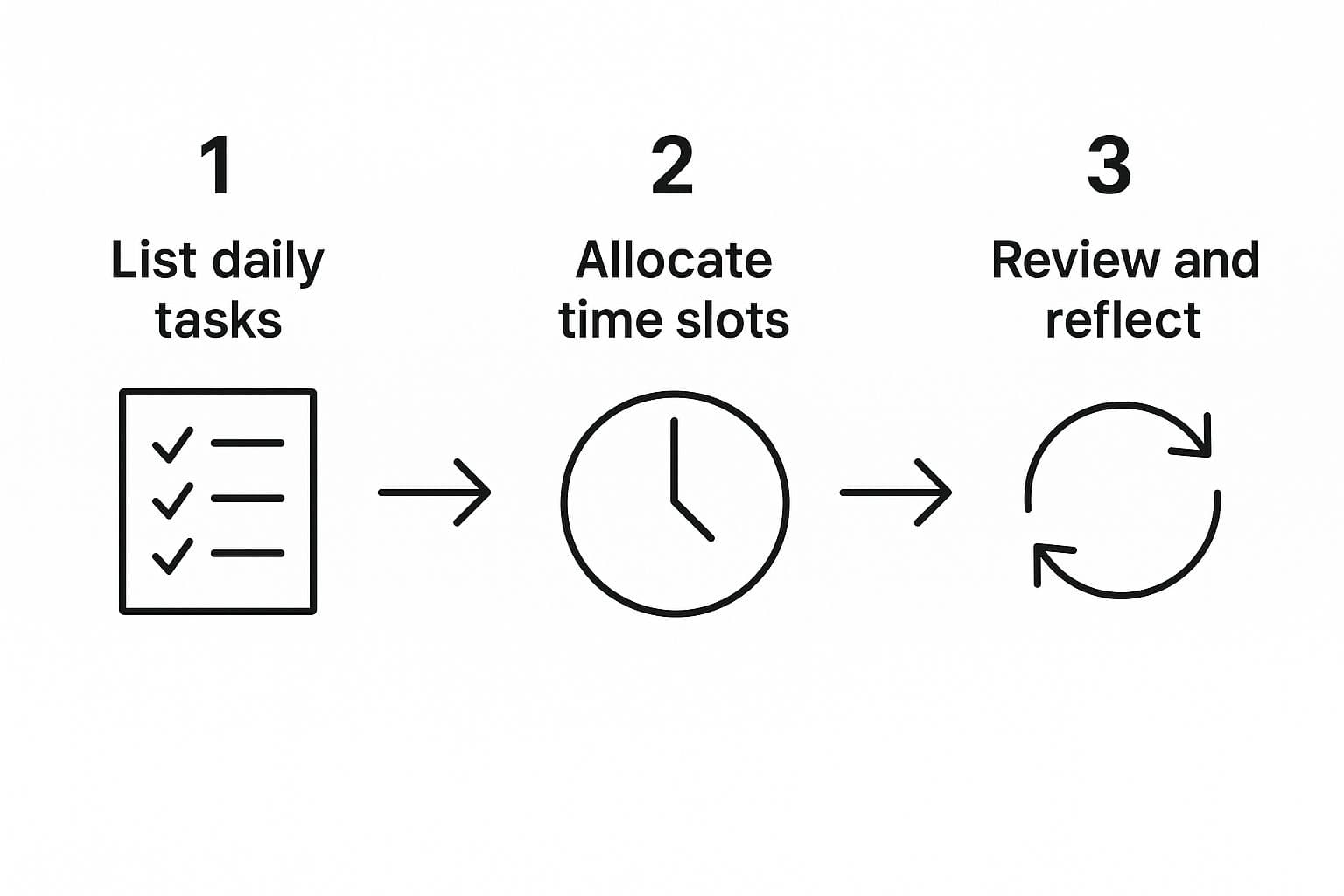
Following this process turns your daily log from a passive record into an active tool for getting better each day. It’s a feedback loop that helps you sharpen your focus.
Adding Structure with YAML Frontmatter
One of the cleanest ways to add this kind of structured data is with YAML frontmatter. Don’t let the name scare you. It’s just a small block of text at the very top of your note where you can store key-value pairs of metadata. The best part? It’s completely hidden in reading view, so it won’t clutter up your log.
For example, you could start tracking your mood, energy level, or even if you worked from home or the office. You can also include a created date field in your front matter to track when each day's note was first generated.
Here’s a simple YAML block you can drop right into your template:
---
mood: 😐
energy: 3
location: "Home Office"
---
When you log this kind of info consistently, you’re building a personal dataset about your life. Later on, you can query this data to uncover some pretty powerful connections. For example, you can write a dataview query to display dynamic content such as upcoming events, birthdays, or filtered task lists directly within your daily note. You might find out your energy is always higher on days you work from a specific coffee shop, or that your mood gets a boost after certain types of tasks.
Where to Store Your Daily Notes
When it comes to building a truly effective Obsidian daily note template, where you store your daily notes is just as important as how you structure them. The right folder setup can make your daily log system feel effortless, helping you quickly find, review, and link your daily entries—whether you’re reflecting on yesterday’s wins or planning for the week ahead.
Start by creating a dedicated folder in your vault—many users call it “Daily Notes” or “Journal.” This keeps your daily note files organized and separate from other notes related to projects, resources, or reference material. For even more clarity, you can nest your daily notes by year and month (for example, “Daily Notes/2024/06/”), making it a breeze to sort files and jump to any given day.
Here’s how to set up your daily note storage for maximum productivity:
-
Create a new folder in your vault, such as “Daily Notes.” This will be the home for every new daily note you create.
-
Configure the Daily Notes plugin to save each new daily note in this folder. Head to the plugin’s settings and set the folder path—this ensures every daily log lands in the right place automatically.
-
Set up your template file in your Templates folder. Use dynamic fields like
{{date:YYYY-MM-DD}}to insert the current date as the file name, and add links to the previous day’s note for seamless navigation. -
Automate with Templater. The Templater community plugin lets you add dynamic content to each new daily note—like the current date, week number, or even a gratitude log prompt—so your daily note template always feels fresh and relevant.
-
Stick to a consistent naming convention. Using the
YYYY-MM-DDformat for your file name (e.g.,2024-06-15) makes it easy to sort files chronologically, run Dataview queries, and link between notes. This format is also perfect for periodic notes, allowing you to quickly jump between daily, weekly, and monthly notes.
By storing your daily notes in a dedicated folder and using a clear, date-based naming system, you unlock the full power of Obsidian’s daily notes plugin, periodic notes, and Dataview plugin. You’ll be able to review your daily entries in reading mode, track daily tasks and quick notes, and even pull up a dataview table of your gratitude log or task list—all with just a few clicks.
This simple organization step transforms your daily log from a scattered collection of markdown files into a streamlined, searchable archive of your life and work. Whether you’re looking for a note modified today, reviewing your to do list for the week, or reflecting on a previous day, your daily note template and folder structure will keep everything at your fingertips—making your personal productivity system as powerful as it is easy to use.
Activating Your Data with the Dataview Plugin
Just tracking metadata is only half the story. The real fun begins when you can actually pull that data up and display it. This is where the community plugin Dataview becomes an absolute necessity. It lets you write simple queries that pull information from all over your vault and display it right inside your daily note.
Imagine automatically seeing a list of all unfinished tasks from the last week. Or maybe you want a quick snapshot of all notes related to a specific project. Dataview makes that happen.
Dataview essentially turns your collection of daily notes into a relational database. It shifts your mindset from just logging information to actively engaging with it. You're no longer just writing things down; you're building a dashboard that gives you real-time feedback on your work and life.
This concept of a daily dashboard isn't just for personal productivity, either. It's a critical tool in fields like marketing and data analytics. For perspective, free dashboard templates for tools like Google Looker Studio have been downloaded over 10,000 times, which shows just how much people want interfaces that turn raw data into clear insights. You can read more about daily dashboard trends and adoption if you're curious.
For a practical example, here's a simple Dataview snippet you could add to your daily log template. It will automatically pull in every incomplete task from your other notes:
TASK WHERE !completed
This tiny query will scan your entire vault and create a live, updated list of every single unchecked to-do item. It's an incredibly powerful way to make sure nothing ever slips through the cracks, turning your daily note into a true command center for everything on your plate.
To really get the most out of your daily log, a few key plugins can make a world of difference. While Dataview is a must-have, here are a few others that I've found incredibly useful for building out a truly dynamic system.
Essential Obsidian Plugins for Your Daily Log
| Plugin Name | Primary Function | Benefit for Daily Log |
|---|---|---|
| Dataview | Queries and displays data from notes | Automatically pulls in tasks, metrics, and related notes, creating a dynamic dashboard. |
| Templater | Creates advanced, dynamic templates | Inserts the current date, weather, or even prompts you for input when creating a new daily log. |
| Calendar | Provides a visual calendar interface | Lets you navigate, create, and review daily notes directly from a calendar view. Super intuitive. |
| Tasks plugin | Advanced to-do list management integrated with daily notes | Enables powerful task tracking with due dates, priorities, and recurring tasks, and dynamically organizes tasks within your daily notes for advanced task management. Integrates well with Dataview, Day Planner, and Templater. |
Each of these plugins adds a unique layer of functionality. By combining them, you can build a daily logging system that is perfectly suited to your specific workflow, moving far beyond a simple text file.
Unlock Deeper Insights with Obsibrain
A solid daily log template is a great start, but the real magic happens when your daily entries stop being isolated islands of information and start talking to each other. This is where hooking up your template to Obsibrain changes the game, turning a simple log into a smart, interconnected web of your own thoughts.
Suddenly, your daily log isn't just a place to dump tasks and notes. It becomes an active partner in your thinking process. Obsibrain's AI works behind the scenes, almost like a personal analyst for your own brain, spotting hidden connections you'd likely miss on your own.
This is the jump from passive logging to active knowledge creation. A simple log just holds information; an Obsibrain-powered log helps you generate new insights from that same information.
Here's a look at the Obsibrain interface, which gives you a visual map of how your ideas and notes connect.

The graph view shows how completely separate entries—a meeting note from last month, a random idea from yesterday, and a task for next week—can be tied together by a common theme, project, or person.
From Simple Record to Intelligent Web
Let’s walk through a real-world example. You log some notes from a client meeting in your daily note. A week later, you scribble down a quick idea for a new service you could offer. Three weeks after that, you add a task about a competitor’s recent product launch.
Individually, these are just separate data points. But with Obsibrain, the AI can pick up on the underlying context and suggest a link between the client’s feedback, your new service idea, and the market opportunity that competitor just highlighted. Using a consistent file title format for your daily notes—such as including the date or a readable label—makes it much easier to link and reference related entries, helping you organize and navigate your notes efficiently. It brings connections to the surface you might have forgotten, creating a much richer tapestry of knowledge.
Obsibrain transforms your daily log from a rearview mirror showing where you’ve been into a GPS that suggests intelligent paths forward based on your own past thoughts and actions.
Getting these kinds of insights requires real focus. To really dig deep, you have to cut out the noise. For peak concentration within your workflow, you might find tools for blocking specific applications like Obsidian or other digital distractions incredibly helpful.
Practical Use Cases for Obsibrain and Your Daily Log
Plugging Obsibrain into your workflow elevates your daily log template with some seriously powerful capabilities. It’s all about making your knowledge start working for you, automatically.
-
Automatic Context Retrieval: Imagine you have a follow-up meeting. Obsibrain can instantly pull up all previous daily log entries, notes, and tasks related to that client or project. You get instant context without having to manually search for anything.
-
Thematic Analysis: It can spot recurring themes in your “Reflections” or “Ideas” sections over weeks or months. You might discover you’re constantly thinking about a particular problem, which is a huge signal that it’s an area worth exploring more deeply.
-
Goal Alignment Mapping: Obsibrain can create a visual map showing how the tasks you log each day connect back to your larger, long-term project goals. You can also link your daily notes to a yearly note to provide annual context and track long-term progress. This gives you clear, visual proof that your daily grind is actually moving you in the right direction.
By adding this layer of intelligence, your daily entries start to compound in value. Each new log doesn’t just add another item to a list; it strengthens the entire network, making your personal knowledge base smarter and more responsive with every single entry.
Alright, theory is one thing, but seeing how a daily log template actually works in the real world is where the magic happens. To get your own ideas flowing, I’m going to walk you through a couple of practical, battle-tested templates I’ve seen used by different professionals.
Each one is built for a specific kind of workflow, but the best part is you can borrow, steal, and remix elements from each to build something that clicks for you.
The whole idea of a daily log isn’t exactly new. It has deep roots in industries obsessed with efficiency. Take construction, for example. Digital daily activity reports have been the standard in site-based businesses across more than 80 countries since the early 2000s. It’s a simple shift that completely changed the game for project accuracy. You can see just how much digital reporting transformed industrial workflows on sitemate.com.
The Project Manager's Command Center
A project manager is constantly juggling a dozen different streams of information. Their daily log has to be a command center—a single place to organize communication, track progress, and spot risks before they snowball into full-blown crises.
This template is all about clarity and action, zeroing in on outputs and obstacles.
-
Top 3 Priorities: This isn’t a to-do list; it’s a non-negotiable list of the most critical outcomes for the day. You can group tasks by due date and highlight those that are due today to prioritize your work effectively.
-
Project Status Updates: A simple bulleted list for each active project, noting key progress points or milestones hit.
-
Blockers & Risks: A dedicated spot to log any hurdles. You can note who is responsible for clearing the path and even link to specific meeting notes or team members.
-
Key Communications: A quick log of important decisions made over Slack, email, or in a quick call. Don’t lose that context.
This is where a tool like Obsibrain really shines. A PM can link a “blocker” directly to the project note it’s affecting. The AI can then map out how that single issue connects to the project timeline, the people involved, and even similar problems from the past, giving you incredible context in an instant.
The Content Creator's Idea Factory
For writers, designers, or anyone in a creative role, the daily log is part organizational tool, part idea incubator. It has to be fluid enough to capture those fleeting thoughts but structured enough to track content from a spark of an idea all the way to publication.
The whole point of this template is to slash the friction between having an idea and actually doing something with it. It carves out a structured space where creativity can thrive right alongside the necessary grunt work of getting things published.
This template is a nice blend of structured tracking and freeform thinking.
-
Content Pipeline: Think of it as a mini-Kanban board right in your daily note. You can use tasks (- [ ], - [/], - [x]) for stages like Idea, Drafting, and Published. If you want to automate date handling, you can use the moment object in Templater scripts to extract and format date information from your daily log file name, making it easy to generate date headers or links to related monthly and yearly notes.
-
Metric of the Day: Pick one key number to track. Maybe it’s article views, new subscribers, or engagement rate. Just one.
-
Idea Capture: This is your brain-dump zone. An unstructured space for random thoughts, punchy headlines, or cool links you stumble upon. Obsibrain is a huge help here, as it can automatically suggest connections between a new idea and stuff you’ve logged before, helping you build out content clusters without even trying.
-
Daily Reflection: Just a quick note to yourself. What part of the creative process felt good today? What felt like a grind?
Common Questions About Obsidian Daily Logs
As you start building out your daily logging system, a few practical questions almost always bubble up. Getting clear, straightforward answers can save you a ton of frustration down the line and help you build a more robust habit. Let's tackle some of the most common ones I hear.
Will My Vault Get Too Slow?
One of the first concerns is performance. What happens when you have hundreds, or even thousands, of daily notes? Will Obsidian grind to a halt?
The short answer is a resounding no. Obsidian is incredibly efficient at handling a massive number of small markdown files. It's built for this.
That said, to keep things extra snappy, a good practice is to create an "Archive" folder. Every so often—maybe at the end of the year—you can just move older daily notes into it. This keeps them out of your main directory but still makes them fully searchable whenever you need to look back.
Keeping Your Daily Log in Sync
Another frequent question is about syncing your setup across multiple devices. Having your daily log on your computer is great, but its real power is unlocked when it's on your phone for capturing on-the-go notes and updating tasks.
Obsidian has a fantastic paid service called Obsidian Sync that handles this seamlessly and securely. It just works.
For a free alternative, many people successfully sync their vaults using cloud services like iCloud Drive, Google Drive, or Dropbox. This ensures your daily log template and all your entries are always consistent, no matter where you access them. If you want to get a better handle on templates, you can explore the fundamentals of how templates work in our official docs.
The key to sticking with daily logging isn't about finding the perfect, complex template from day one. It's about starting with something simple, showing up consistently, and gradually adjusting the template to fit the reality of your workflow.
Making the Daily Logging Habit Stick
Finally, how do you actually stay consistent? My best tip is to lower the barrier to entry as much as possible. Make it easy to succeed.
-
Link it to an existing habit. Try filling out your log right after your morning coffee or just before you close your laptop for the day. Piggybacking on an established routine is a classic habit-forming trick for a reason.
-
Keep it simple. Your template should serve you, not burden you. If a section consistently feels like a chore and you aren't getting value from it, just remove it. You can always add it back later.
-
Use Obsibrain. Let Obsibrain connect the dots for you automatically. Seeing its AI surface valuable connections from past entries is a powerful motivator to keep logging your thoughts and tasks—you start to see the long-term payoff immediately.
Ready to transform your daily notes from a simple list into an intelligent, interconnected knowledge base? Start building a system that works for you with Obsibrain. Get your all-in-one productivity template for Obsidian today at https://www.obsibrain.com/en.
Obsibrain
Get the complete Obsidian second-brain system
Skip the 20-hour setup spiral. Templates, dashboards, and workflows ready in about 30 minutes — no coding required.
$49 one-time payment. Backed by our 30-day guarantee.