
10 Best Apps for Researchers in 2026: Choose by Workflow
Compare the best research apps for discovery, citations, reading, synthesis, writing, and project work. Build a practical stack without duplicating tools.

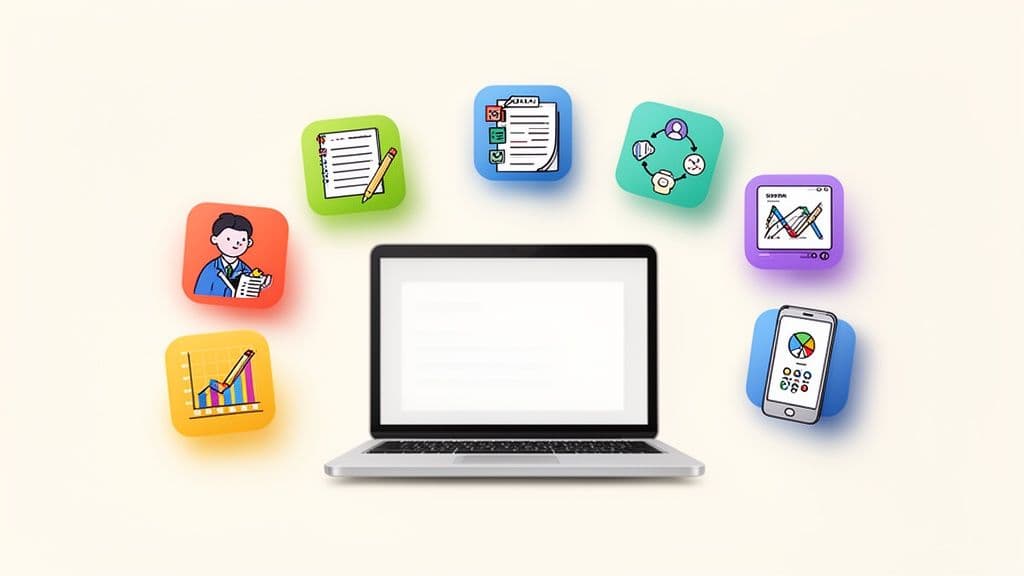
The best research app depends on the job. Use a reference manager for sources, a notes app for synthesis, a project system for deadlines, and a specialist tool only when it solves a real bottleneck.
For many individual researchers, a useful default is Zotero for references + Obsidian for connected notes + a writing tool such as Word or Overleaf. Add screening, discovery, or citation-analysis tools only when your method needs them.
This guide compares the tools by role. It does not claim hands-on testing or rank products by unsupported star ratings. Product plans and features change, so verify current details on each official site before you buy.
Quick answer: choose the app for the bottleneck
| Your main problem | Start with | Why |
|---|---|---|
| Capture papers and generate citations | Zotero | Reference library, metadata capture, and bibliography tools |
| Connect ideas in local Markdown files | Obsidian | Links, backlinks, properties, and plain-text files |
| Manage research tasks, projects, and reviews | Obsibrain | Prepared Obsidian workflow for notes, tasks, projects, and reviews |
| Explore a new field through citations | ResearchRabbit | Visual discovery around papers and authors |
| Screen a systematic review | Rayyan | Dedicated collaborative screening workflow |
| Write a collaborative LaTeX manuscript | Overleaf | Browser-based LaTeX editing and collaboration |
| Inspect how papers cite one another | scite | Citation context and reference checking |
| Annotate sources on a visual canvas | Heptabase | Cards and spatial synthesis for visual thinkers |
A practical research stack
Research work has four different information problems:
- Discovery: Find relevant papers, books, datasets, and web sources.
- Evidence: Store source metadata, PDFs, highlights, and citations.
- Synthesis: Turn sources into claims, concepts, questions, and drafts.
- Execution: Track the project, deadlines, meetings, and next actions.
One app rarely handles all four jobs well. Choose one primary tool for each problem, then define the handoff between them. This prevents a common failure mode: the same paper appears in a browser bookmark, a PDF folder, a database, and three note systems.
1. Zotero: best reference manager for most researchers
Zotero is the default starting point for collecting sources and managing citations. Its browser connector saves bibliographic metadata, and its word-processor integrations insert citations and bibliographies.
Use Zotero as the source of truth for:
- authors, titles, publication details, and identifiers;
- PDFs and attachments;
- collections, tags, and saved searches;
- citations and bibliographies.
Do not force Zotero to become your project-management system. Put research questions, interpretations, and linked concepts in a notes layer. See Zotero's official quick-start guide for current setup details.
2. Obsidian: best local knowledge base for connected notes
Obsidian stores notes as local Markdown files. Its links and backlinks help you connect a paper to claims, concepts, experiments, meeting notes, and project decisions.
Obsidian works well when you need to:
- keep your notes readable outside one application;
- connect ideas across papers instead of keeping isolated summaries;
- work offline or retain local control of unpublished material;
- shape the system around your discipline and writing process.
Obsidian is not a citation manager by itself. Pair it with Zotero or another reference manager. The official Obsidian help for links, properties, and advanced syntax cover the core building blocks.
3. Obsibrain: best prepared system for research execution
Obsibrain runs inside Obsidian. Its value is not that it replaces Zotero, a lab notebook, or a manuscript editor. Its value is the prepared execution layer around your research notes.
Use it when you want a ready-made structure for:
- turning a research question into a project with next actions;
- linking literature notes, meetings, and project decisions;
- reviewing active work through daily, weekly, and periodic planning;
- keeping tasks and context in the same local vault.
The useful handoff is simple: Zotero stores the source, Obsidian stores your synthesis, and Obsibrain turns the synthesis into work. See the PARA folder structure, Smart Projects, and task management documentation for the relevant system pieces.
4. ResearchRabbit: best for citation-network discovery
ResearchRabbit helps you explore related papers and authors from seed papers. It is useful when keyword searches miss terminology, older foundational work, or adjacent research communities.
Use it before deep reading, not as your permanent library:
- Start with two or three trusted papers.
- Explore related work and author networks.
- Save promising references to Zotero.
- Record why each source matters in a literature note.
This separation keeps discovery recommendations distinct from your verified source library.
5. Rayyan: best for systematic-review screening
Rayyan focuses on screening titles and abstracts for systematic and scoping reviews. It makes more sense than a general task tool when you need inclusion criteria, reviewer decisions, deduplication, and a repeatable screening process.
Do not use Rayyan for ordinary personal reading lists. Its workflow is specialized. Export the included references to your reference manager, then connect the review results to a project page and task list.
6. Overleaf: best for collaborative LaTeX writing
Overleaf suits research teams that write in LaTeX and need a shared manuscript workspace. It handles the final document format, collaboration, and compilation.
Keep early thinking in your notes system. Move a stable outline and source-linked claims into Overleaf when manuscript structure and co-author review become the main problem. Read the Overleaf bibliography guide for the current citation workflow.
7. scite: best for citation context
scite helps researchers inspect how later papers cite a work. This can add context before you rely on a result, but citation labels do not replace reading the paper or judging its methods.
A useful workflow is:
- find a candidate paper;
- inspect the citation context;
- read the paper and record the relevant claim;
- link the claim to the source in your notes;
- mark uncertainty instead of treating a citation count as proof.
8. Heptabase: best for visual source synthesis
Heptabase is a strong fit for researchers who think by arranging cards, excerpts, and concepts on a canvas. It can help during the stage between reading and outlining.
Choose it when spatial arrangement changes how you understand the material. Choose Obsidian when durable Markdown, backlinks, and a local text archive matter more. A visual canvas is a synthesis aid, not a substitute for source metadata or citation management.
9. Notion: best for collaborative research databases
Notion works well for shared databases, project coordination, and teams that value quick onboarding. It is often the better choice when supervisors or collaborators need real-time editing and structured tables.
Obsidian is usually a better fit for a solo researcher who prioritizes local files, linked thinking, and long-term portability. You can also split the roles: Notion for shared coordination and Obsidian for personal synthesis. Define the boundary before you create both systems.
10. A writing environment: choose Word, Google Docs, or another specialist tool
The final writing tool depends on your collaborators, discipline, and submission format:
- choose Word when your institution or journal uses tracked documents;
- choose Google Docs when live co-editing matters more than local files;
- choose Overleaf for collaborative LaTeX manuscripts;
- choose a plain Markdown editor when you write alone and want a portable draft.
Do not make your notes app carry the full burden of manuscript formatting. Use it to preserve the reasoning and source trail that support the final document.
Decision table: one tool or a small stack?
| Situation | Recommended setup | Main handoff |
|---|---|---|
| Undergraduate project with few sources | Zotero + Word or Google Docs | Citation library → manuscript |
| Solo thesis or dissertation | Zotero + Obsidian | Source → literature note → chapter outline |
| Multi-year research program | Zotero + Obsidian + Obsibrain | Source → synthesis → project task → review |
| Systematic review | Zotero + Rayyan + project tracker | Search export → screening → included studies |
| Collaborative STEM manuscript | Zotero + Obsidian + Overleaf | Source notes → shared LaTeX draft |
| Visual literature mapping | Zotero + ResearchRabbit + Heptabase | Seed papers → network → themes |
The criteria matter more than the app count:
- Source traceability: Can you return from a claim to the paper and page?
- Handoff cost: Can information move without repeated copy-paste?
- Durability: Can you open the notes if the product changes?
- Execution: Can you see the next action, owner, and deadline?
- Collaboration: Does the system match how your team writes and reviews?
If a tool does not improve one of these criteria, leave it out.
A seven-step workflow you can start today
- Capture a paper in Zotero.
- Add a short source note with the question, method, and useful result.
- Write the key claim in your own words.
- Link that claim to related concepts and the source note.
- Link the claim to a project or research question.
- Create one next action, such as verify, compare, reproduce, or draft.
- Review open research tasks at the end of the week.
For an Obsidian-based setup, research notes, lab notebook templates, and Obsidian templates can support the transition from source collection to useful output.
Common mistakes
Choosing one app because it has the longest feature list
Feature count does not show whether the tool fits your research method. Start with the bottleneck and test one handoff.
Treating summaries as synthesis
A summary describes one source. Synthesis compares claims across sources and records agreement, conflict, limitations, and open questions.
Mixing source facts with your interpretation
Keep the source, your paraphrase, and your interpretation distinguishable. This makes later citation checks faster and reduces accidental misattribution.
Adding plugins before defining the workflow
Write the capture → evidence → synthesis → execution path first. Add a plugin only when a repeated step remains painful.
Tracking research tasks in a separate forgotten list
Link the next action to the project or note that gives it context. A task without context creates another search problem.
Final recommendation
Start with the smallest stack that covers your work:
- Zotero for sources and citations;
- Obsidian for durable, connected notes;
- Obsibrain when you want prepared projects, tasks, and review routines;
- one specialist tool for screening, discovery, visual synthesis, or collaborative writing only when needed.
The best research system is not the one with the most apps. It is the one that lets you find evidence, understand it, and turn it into the next piece of work without losing context.
Obsibrain
Get the complete Obsidian second-brain system
Skip the 20-hour setup spiral. Templates, dashboards, and workflows ready in about 30 minutes — no coding required.
$49 one-time payment. Backed by our 30-day guarantee.