

Download Obsidian: How to Get Started?
Learn how to download Obsidian, install it on any major platform, and set up your first vault with the right foundations from day one.

Obsidian is a powerful knowledge base and note-taking app that works with local Markdown files. Known for its flexibility and user-friendly features, it's perfect for students, researchers, writers, and anyone who wants to maintain a personal knowledge management system. This comprehensive guide will help you get started with Obsidian and make the most of its features.
Key Takeaways
- Obsidian is available across all major platforms with FREE personal use
- The app features a powerful system of internal linking and knowledge visualization
- Local storage ensures your notes remain private and secure
- Extensive customization options through themes and plugins
- Premium features available for sync and publishing needs
System Requirements and Availability
Obsidian is available for:
- Windows (32-bit and 64-bit)
- macOS (Universal)
- Linux (AppImage, Snap, Flatpak, Deb)
- iOS (iPhone and iPad)
- Android devices
The desktop version offers the most comprehensive feature set and is recommended for the best experience.
Installation Guide
Windows Installation
- Visit obsidian.md/download
- Download the Universal installer
- Run the installation file
- Follow the setup wizard instructions
macOS Installation
- Download the Universal installer from the official website
- Open the downloaded .dmg file
- Drag Obsidian to your Applications folder
- Launch from your Applications
Linux Installation
Multiple installation methods available:
- Snap: Install through the Snap store
- AppImage: Download and make executable
- Flatpak: Available through Flathub
- Deb: Package available for Debian-based distributions
Mobile Installation
- iOS: Download from the App Store
- Android: Available on Google Play Store or as direct APK download
Setting Up Your First Vault
Creating a New Vault
- Launch Obsidian after installation
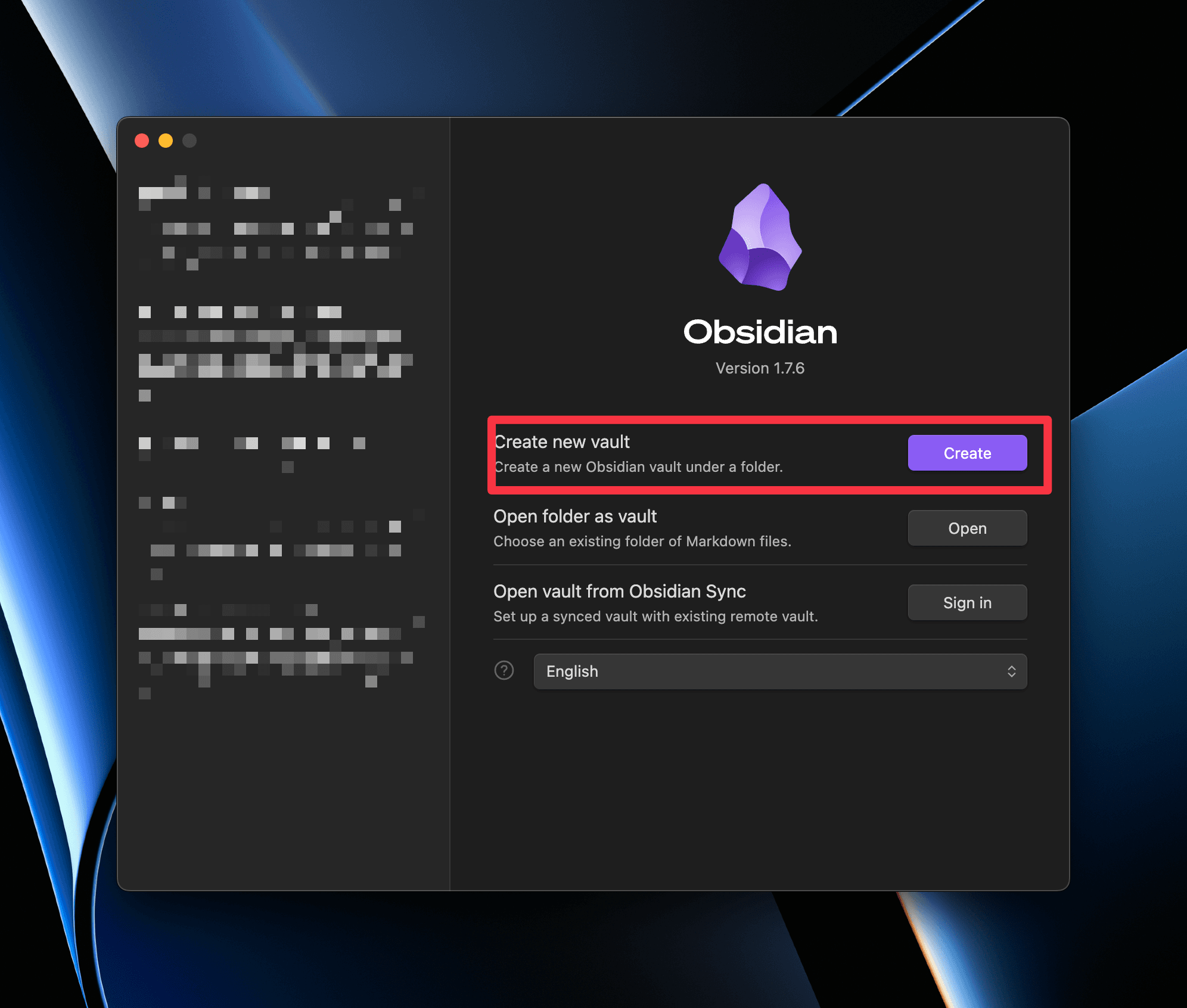
- Click "Create new vault"
- Choose a name and location
- Select between creating a new vault or opening an existing folder
Vault Organization Tips
- Create a clear folder structure
- Use a consistent naming convention
- Consider implementing the PARA method (Projects, Areas, Resources, Archives)
- Start with a homepage or dashboard note
Essential Features
Core Functionality
- Markdown-based editing
- Wiki-style internal linking
- Graph view for visualizing connections
- Support for backlinks and forward links
- Real-time preview of formatted text
Customization Options
- 25+ core plugins
- 2000+ community plugins
- 300+ themes available
- Custom CSS support
- Flexible workspace layouts
Advanced Features
Knowledge Management
- Create comprehensive knowledge networks
- Build hierarchical note structures
- Implement bi-directional linking
- Use tags for easy categorization
- Generate interactive graphs of connected notes
Productivity Tools
- Command palette for quick actions
- Custom hotkeys and shortcuts
- Template support
- Daily notes
- Quick switcher
Premium Features
Obsidian Sync
- Secure end-to-end encryption
- Version history
- Cross-platform synchronization
- Selective sync options
Obsidian Publish
- Share notes online
- Customize published site
- Control access permissions
- Custom domain support
Security and Privacy
- All notes stored locally on your device
- Compatible with third-party encryption tools
- Works with cloud storage services
- Optional end-to-end encryption with Sync
- No data collection without consent
Tips for Getting Started
- Start small and expand gradually
- Learn basic Markdown syntax
- Experiment with internal linking
- Explore core plugins before adding community ones
- Join the Obsidian community for support and ideas
Community and Resources
- Active Discord community
- Extensive online documentation
- Regular updates and improvements
- Helpful user forums
- Rich plugin ecosystem
Final Thoughts
Obsidian offers a powerful yet flexible approach to note-taking and knowledge management. Whether you're a student, researcher, writer, or professional, its versatile features can adapt to your needs. Start with the basics and gradually explore its more advanced features to build a personalized knowledge management system that works for you.
Frequently Asked Questions
What is Obsidian?
Obsidian is a powerful app for taking notes and organizing information. It allows you to create links between your notes, making it easy to connect ideas.
Is Obsidian free to use?
Yes, Obsidian is free for personal use. You can download it from their website without paying. There are some paid features for business users.
Can I use Obsidian on my phone?
Absolutely! Obsidian has apps for both iOS and Android, so you can take your notes with you anywhere.
How do I create my first note?
After installing Obsidian, you can easily create your first note by clicking the 'New Note' button in the top left corner.
What are plugins in Obsidian?
Plugins are extra features that you can add to Obsidian to enhance its functionality. They allow you to customize your experience.
How can I sync my notes across devices?
You can use Obsidian Sync, which is a paid service that lets you keep your notes updated on all your devices.
Obsibrain
Get the complete Obsidian second-brain system
Skip the 20-hour setup spiral. Templates, dashboards, and workflows ready in about 30 minutes — no coding required.
$49 one-time payment. Backed by our 30-day guarantee.